Setup
There are two ways you can code in JavaScript:
- Using your browser
- Using Node.js
Note that there will be differences. For example, you will have the window object on your browser, but you will instead have the process object on Node.js.
However, to do basic algorithm, you should be able to adapt the code written for the browser for Node.js (and vice-versa).
1. Using your browser
- Hit F12 to open your browser's Developer Tool
- Select the "Console" tab
- Type in some code and press Enter
console.log('Hello world!');
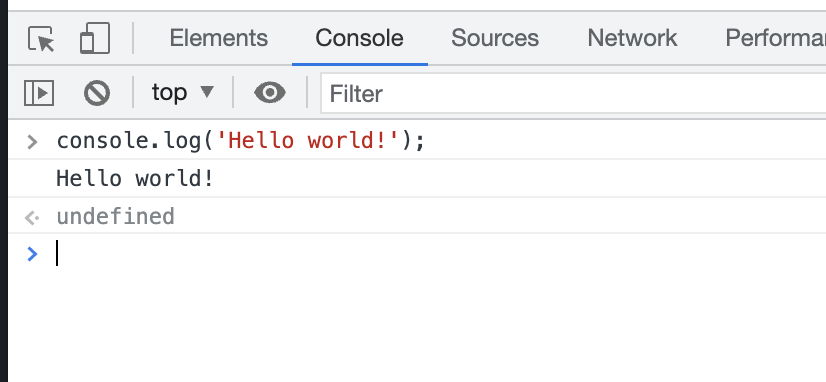
2. Using Node.js
Normally, you would follow the installation guide on https://nodejs.org/en/.
However, to make your life easier, I advise you to install nvm instead. You should install Node.js through nvm. (This makes it easier to change into different version of Node.js, which may happen when you are working on multiple projects/repositories.)
# E.g. to install Node v16
# (do this when `nvm` has been installed)
nvm install 16
nvm use 16
Note that when you install Node.js, you will also automatically install the matching version of NPM (Node Package Manager). You can use NVM to install other people's "libraries" to your project.
When nvm has been installed, you can create a JavaScript file:
console.log('Hello world!');
Then run it:
# Assuming you save your file at '~/projects/hello/index.js'
node ~/projects/hello/index.js